Published . A 5 minute read.
Is Stream Deck Worth It? Honest 2026 Verdict
Is Stream Deck worth it in 2026? Honest verdict on who should buy one, which model fits you, and the best alternatives. Find your match.
Short answer
Yes, a Stream Deck is worth it if you repeat the same clicks every day, whether you stream, edit video or juggle work apps. The Elgato Stream Deck MK.2 is the best pick for most people: 15 keys, the biggest plugin library, and often around $120. The caveat: test Elgato's free Stream Deck Mobile app first, because casual users often don't need hardware.
Affiliate links inside. We may earn a commission; it never changes a pick. Details.
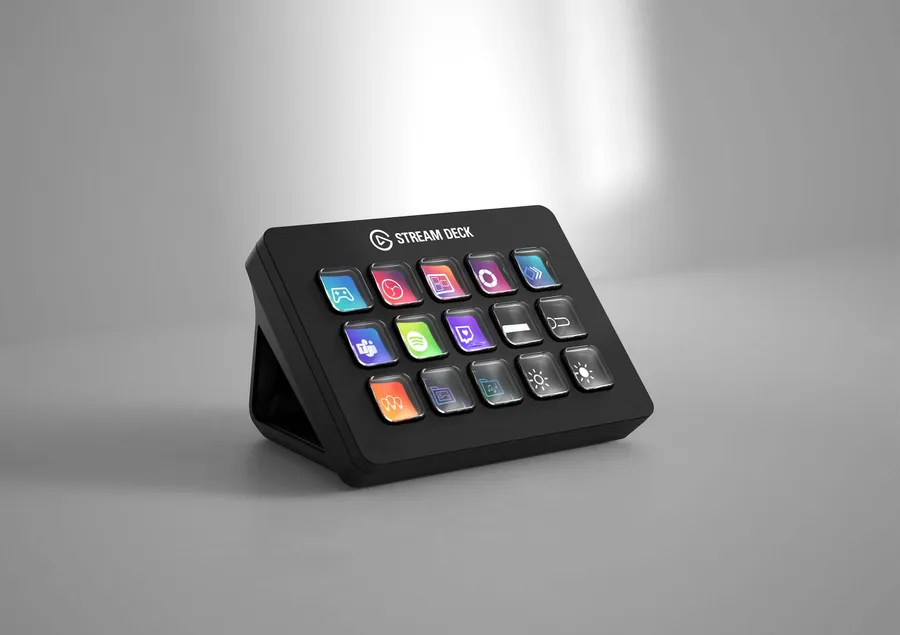
Elgato Stream Deck MK.2$149.99 (often around $120 at Amazon)
Its 15 keys cover most streaming and work setups without folders, and it often sells for well under its $149.99 list price.
The catch: more than you need if you only want a few shortcuts
| Pick | Price | Score | Best for | Buy |
|---|---|---|---|---|
| Elgato Stream Deck MK.2Best overall | $149.99 (often around $120 at Amazon) | 4.5 | most streamers and productivity users buying their first deck | See price |
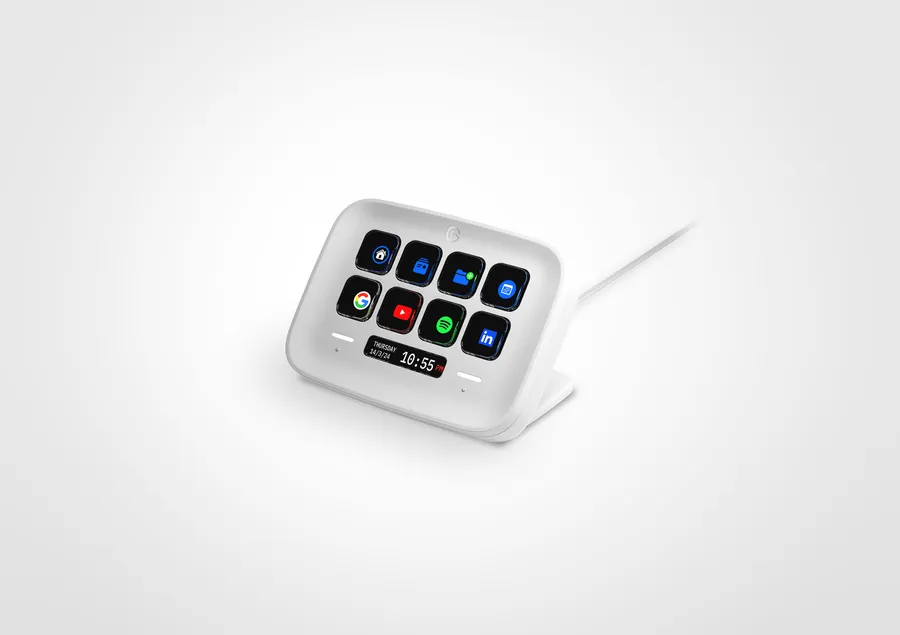 Elgato Stream Deck NeoBest for beginners Elgato Stream Deck NeoBest for beginners | $99.99 | 4.0 | first-time buyers and simple work setups | See price |
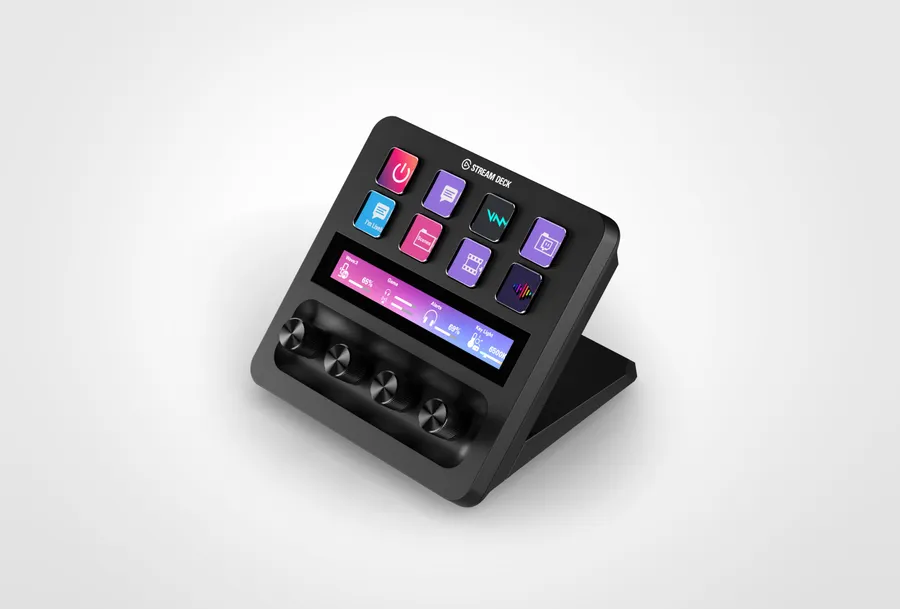 Elgato Stream Deck +Best for audio and editing Elgato Stream Deck +Best for audio and editing | about $180 | 4.5 | streamers who mix audio live, and video editors | See price |
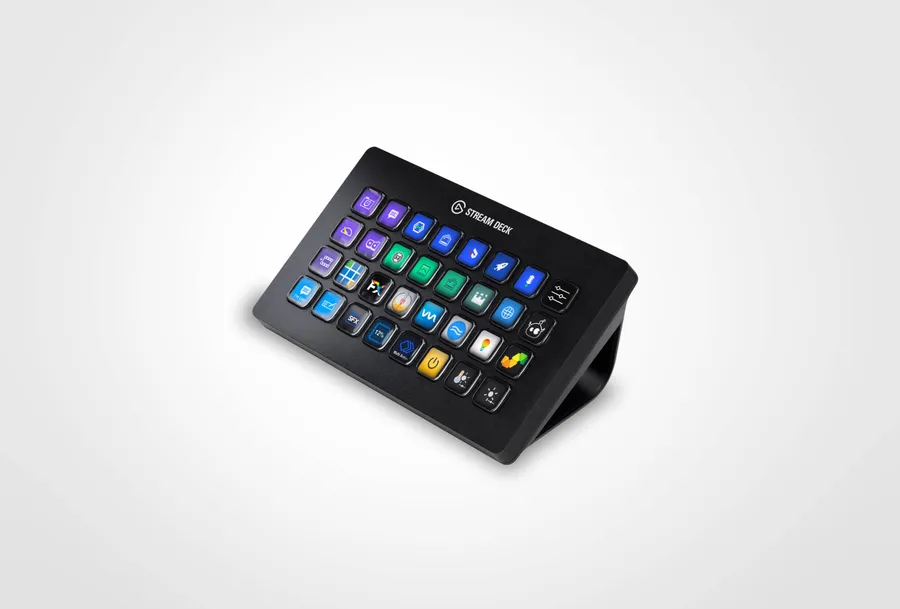 Elgato Stream Deck XLBest for power users Elgato Stream Deck XLBest for power users | $249.99 (recently around $200 at Amazon) | 4.0 | multi-scene streamers and heavy macro users | See price |
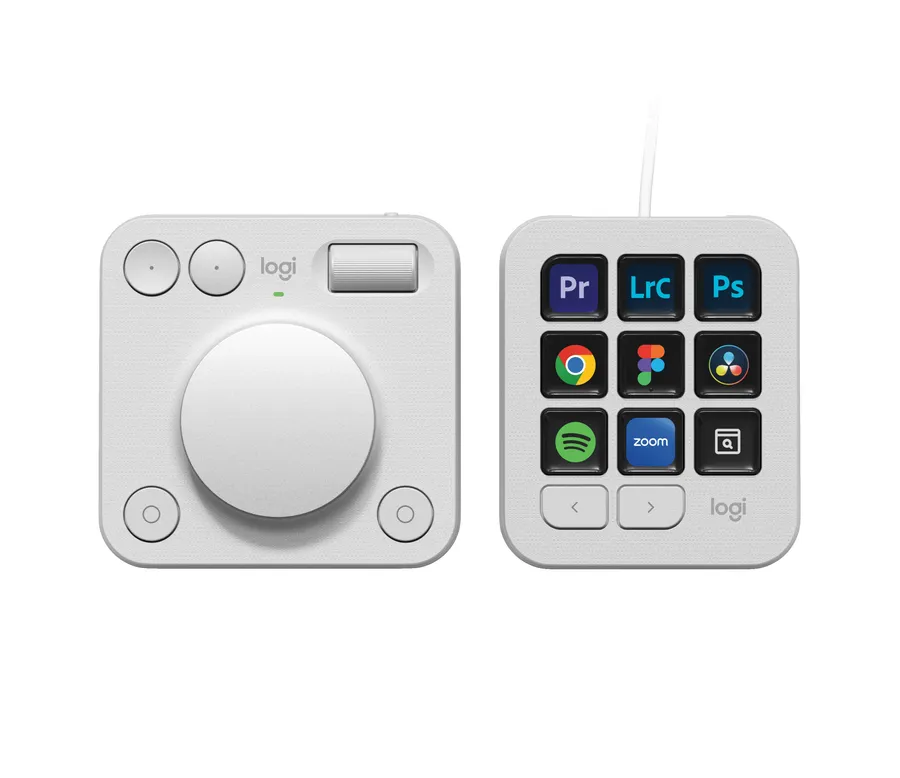 Logitech MX Creative ConsoleBest for Adobe users Logitech MX Creative ConsoleBest for Adobe users | $199.99 | 4.0 | photo and video editors living in Adobe apps | See price |
| Elgato Stream Deck MobileBest free option | Free (6 keys) / Pro $2.99 a month, $24.99 a year or $49.99 lifetime | 4.0 | anyone unsure about buying hardware | See price |
You keep clicking the same five things every day: switching scenes, muting your mic, opening the same apps, pasting the same replies. A Stream Deck turns each of those into one tap. So is a Stream Deck worth it in 2026? For most people who repeat tasks, yes. But the right model matters more than the brand, and some people don’t need hardware at all.
How we chose these Stream Deck picks
We haven’t put these on our own desks. This verdict comes from current reviews, Elgato’s and Logitech’s own spec and pricing info, and what streamers and desk workers keep reporting after months of use. We judged each option on four things:
- Keys and controls: how many actions you can reach without digging through folders, and whether dials actually help.
- Software and plugins: Elgato’s plugin library is the main reason people buy a Stream Deck, so any alternative had to come close.
- Price for what you use: a $250 deck you use for three shortcuts isn’t worth it.
- Fit beyond streaming: video editing, productivity, trading and smart home control all count.
We left out cheap no-name macro pads. Reviewers often say the hardware is fine but the software is weak, and the software is the whole point.
Which Stream Deck is worth it for your setup?
Elgato Stream Deck MK.2: the safe default
The MK.2 is the 15-key classic, and it’s still the one reviewers tell you to buy if you’re unsure. Fifteen keys is enough for scenes, mic, sound effects and chat on one page without folders. It lists at $149.99, but it’s often sold for around $120. There’s also a Scissor Keys version with crisper switches at the same list price if you like a firmer press.
Elgato Stream Deck Neo: the cheaper way in
The Neo gives you eight LCD keys plus two touch points that flip between pages, and it uses the same plugins and profiles as the bigger decks. Tom’s Hardware calls it about as plug-and-play as a Stream Deck gets, with a built-in stand and preloaded actions. The catch is that the little info bar and touch buttons are mostly fixed. And at $99.99 it isn’t much cheaper than an MK.2 on sale.
Elgato Stream Deck +: worth it for audio and editing
The Stream Deck + swaps keys for control: eight keys, four push-dials and a touch strip that shows the level of whatever each dial controls. That makes it a real desktop audio mixer for mic, game, music and alerts. It also works for scrubbing timelines or nudging values in editing apps. Pick it over the MK.2 only if you’ll actually turn those dials every day.
Elgato Stream Deck XL: for big productions
Thirty-two keys in an 8 x 4 grid means every scene, source and sound sits on the top level. That’s the real draw for people running complex streams or long chains of work shortcuts. List price is $249.99, though Amazon has recently sold it closer to $200. If you want dials too, Elgato’s newer Stream Deck + XL ($349.99) adds 36 keys, six dials and a touch strip. That’s a lot of desk and a lot of money.
Logitech MX Creative Console: the Stream Deck alternative for Adobe users
This is the strongest Stream Deck alternative if you edit photos or video more than you stream. It splits into a nine-key LCD keypad and a separate wireless dialpad with a big dial and scroll wheel. Reviewers praise how it switches profiles automatically in Photoshop, Lightroom and Premiere Pro. It’s $199.99, and it has shipped with a three-month Adobe Creative Cloud code. The downside is a smaller plugin library than Elgato’s, so streamers should stay with a Stream Deck.
Stream Deck Mobile: the free test drive
Before spending anything, install Elgato’s Stream Deck Mobile app on your phone or tablet. It’s free for six keys on iOS and Android. Stream Deck Mobile Pro raises that to up to 64 keys for $2.99 a month, $24.99 a year or $49.99 once. It’s the cheapest Stream Deck alternative there is, but you lose physical keys and you tie up your phone.
Is Stream Deck worth it if you don’t stream?
Often, yes. Users report getting the most out of it for productivity: launching apps, joining meetings, controlling smart lights, typing canned text and running multi-step macros. Traders use it for hotkeys, and editors use the Stream Deck + dials for timelines. If you want one for work, a Neo or an MK.2 is plenty.
Who should skip a Stream Deck?
- Keyboard shortcut fans. If you already fly through hotkeys, a deck adds desk clutter, not speed.
- People with only two or three actions. The free mobile app or a few custom shortcuts cover that.
- Casual streamers who go live now and then. Try the app first. Many decks end up as $150 desk ornaments.
- Anyone on a tight setup budget. Spend it on a better mic, lighting or camera first. Our best webcam under $50 picks will improve your stream more than buttons will.
Bottom line
A Stream Deck is worth it when you repeat the same clicks every day. For most people, that means the Elgato Stream Deck MK.2, especially when it’s around $120. Go Neo to save money, Stream Deck + if audio is your main job, XL if you run a big show, and the MX Creative Console if Adobe is where you spend your day. Still not sure? The free mobile app will tell you in a week.
The picks, in detail
1. Elgato Stream Deck MK.2
Best overallFifteen LCD keys put your scenes, mic, apps and macros one tap away, with no folders to dig through. It works with the largest plugin library of any macro pad.
- Best for
- most streamers and productivity users buying their first deck
- The catch
- more than you need if you only want a few shortcuts
2. Elgato Stream Deck Neo
Best for beginnersEight keys plus touch page buttons give you the full Elgato plugin library at the lowest Elgato hardware price. It has a built-in stand and preloaded actions, so setup takes minutes.
- Best for
- first-time buyers and simple work setups
- The catch
- the info bar and touch buttons are mostly fixed, and eight keys fill up fast
3. Elgato Stream Deck +
Best for audio and editingFour push-dials and a live touch strip turn it into a desktop audio mixer for mic, game and music levels. The same dials are great for scrubbing timelines and fine-tuning edits.
- Best for
- streamers who mix audio live, and video editors
- The catch
- only eight keys, so it's worse than the MK.2 for button-heavy setups
4. Elgato Stream Deck XL
Best for power usersThirty-two keys keep every scene, source and macro on one level, so you never hunt through folders. It's built for big productions and complex workflows.
- Best for
- multi-scene streamers and heavy macro users
- The catch
- big and expensive, and too much deck for most people
5. Logitech MX Creative Console
Best for Adobe usersA nine-key LCD keypad plus a wireless dialpad give you profiles that switch on their own in Photoshop, Lightroom and Premiere Pro. Reviewers say it noticeably speeds up editing.
- Best for
- photo and video editors living in Adobe apps
- The catch
- smaller plugin library than Elgato's, and only nine keys means paging
6. Elgato Stream Deck Mobile
Best free optionIt turns the phone or tablet you already own into a Stream Deck with the same plugins. It's the cheapest way to find out whether you'd actually use one.
- Best for
- anyone unsure about buying hardware
- The catch
- no physical keys, and it ties up your phone
Questions people ask
Is a Stream Deck worth it for non-streamers?
Yes, if you repeat tasks on your computer every day. Office workers use it to launch apps, join meetings, paste canned text and control smart lights. Traders use it for hotkeys and editors use it for timeline controls. A Neo or MK.2 covers most work setups. If you only need two or three shortcuts, try the free Stream Deck Mobile app first.
Which is better, Stream Deck MK.2 or Neo?
The MK.2 is better for most people. It has 15 keys against the Neo's 8, so you'll page through screens far less. The Neo costs $99.99 and is very easy to set up. But the MK.2 lists at $149.99 and is often around $120, so the price gap is small. Choose the Neo only if desk space or budget is very tight.
Is the Stream Deck + worth it over the MK.2?
Only if you'll use the dials every day. The Stream Deck + adds four push-dials and a touch strip, which are excellent for mixing audio levels live or scrubbing video timelines. If you mostly press buttons to switch scenes or launch apps, the MK.2's 15 keys are a better fit and usually cost less.
Is the Stream Deck Mobile app as good as the real thing?
For testing, yes. For daily use, mostly not. The free app gives you six keys with the same plugins. Pro unlocks up to 64 keys for $2.99 a month, $24.99 a year or $49.99 once. But you lose physical buttons and your phone is tied up, which many users find annoying during live streams or long work sessions.
What is the best Stream Deck alternative?
For creative work, it's the Logitech MX Creative Console. It costs $199.99 and pairs a nine-key LCD keypad with a wireless dial built for Adobe apps. For streaming, Elgato's own lineup is still the best choice because of its plugin library. If you don't want to spend anything, the free Stream Deck Mobile app is the cheapest alternative.
P.S. You read the whole thing, which means you care. Elgato Stream Deck MK.2 is the one, or Elgato Stream Deck Mobile if you're watching the budget.
Get the Elgato Stream Deck MK.2Or the Elgato Stream Deck Mobile
Get the next verdict on Telegram
Where we looked
- Tom's Hardware, "Elgato Stream Deck Neo Review"
- Streamer.guide, "Best Stream Deck 2026: Elgato Models & Alternatives"
- Engadget, "Elgato's Stream Deck + XL adds a touch strip and dials"
- XDA Developers, "Logitech MX Creative Console review"
- Elgato Help, "Stream Deck Mobile Pro"
- Bullish Bears, "Stream Deck for Trading (2026): Is It Worth It?"